

If you’re evaluating a system for an office, campus, retail store, warehouse, or multi-tenant building, this guide breaks down how these systems work, the main types available, the safety codes worth knowing, and the questions to ask before you buy.
Paging vs. Intercom: What’s the Difference?
The two terms often get bundled together, but they solve different problems.
Paging is one-to-many, one-way audio. Someone speaks into a microphone or dials a code, and the announcement broadcasts to a group of speakers, a zone, or an entire facility. Think overhead pages in a store or a “please report to the loading dock” call across a plant floor.
Intercom is typically two-way and point-to-point. A door station lets a visitor talk directly with reception; a room-to-room intercom lets two people hold a private conversation. Instead of ringing, an intercom endpoint often answers automatically to speaker so the exchange starts instantly.
Many modern platforms handle both, letting a single system cover overhead announcements, door entry, and internal communication at once.
The Main Types of Commercial Systems
Traditional Analog Paging
Analog systems use a central amplifier connected to overhead speakers by dedicated speaker wire. They’re proven and simple, and plenty of them are still running reliably in older buildings. The downside is that expanding coverage usually means pulling new wire, and analog systems don’t natively integrate with modern phone and IT infrastructure.
IP and SIP Paging
Network-based paging sends audio over your existing Ethernet infrastructure using standard internet protocols. When it’s built around SIP (Session Initiation Protocol) — the same signaling standard behind most business VoIP phone systems — paging endpoints register on your phone system just like a desk phone. Staff can trigger a page by dialing an extension, and the audio streams to IP speakers, horns, or paging adapters across the network.
Because IP endpoints often support Power over Ethernet (PoE), a single cable can supply both data and power, which simplifies installation. Many systems also support multicast, allowing devices to talk directly to one another on the local network for fast one-to-many paging that keeps working even if the phone server is temporarily unavailable. For a technical primer on how IP paging endpoints register and behave on a VoIP network, integrator resources like Algo’s IP paging overview and the underlying SIP standard (RFC 3261) are useful references.
Hybrid Systems
You don’t have to rip out a working analog system to modernize. A VoIP paging gateway (or adapter) converts audio from a VoIP phone system into signals your existing analog amplifier and overhead speakers understand. This bridges legacy paging equipment to a modern IP phone system without rewiring the whole building — a popular option for offices, schools, and warehouses that want new capabilities on old bones.
Wireless Systems
Where running cable is impractical — historic buildings, temporary sites, or sprawling outdoor areas — wireless paging and intercom units communicate over radio or Wi-Fi. They trade some reliability and audio consistency for far faster deployment.
Key Components to Know
- Speakers and horns: Ceiling speakers for offices and retail; weatherproof horn speakers for loud industrial and outdoor spaces.
- Amplifiers and head-end equipment: The hardware that drives the audio, whether a traditional amp rack or a network paging controller.
- VoIP/SIP gateways and adapters: The translators between phone systems and paging hardware.
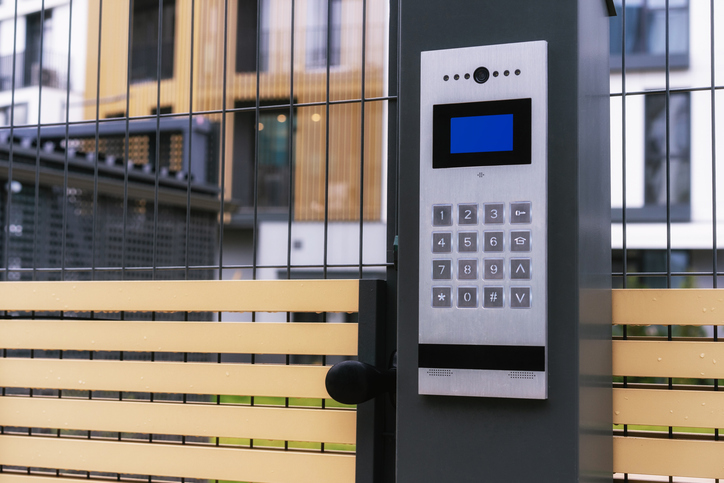
- Door and gate intercom stations: Audio-only or audio-video units for secure entry, frequently paired with a relay for remote door release.
- Zone controllers: Let you target announcements to specific areas rather than broadcasting everywhere at once.
Where These Systems Earn Their Keep
Different environments lean on different features:
- Schools and campuses: Bell schedules, class-change tones, routine announcements, and — critically — emergency alerts and lockdown communication.
- Warehouses and manufacturing: High-output horn speakers that cut through machinery noise, shift tones, and staff paging across large open floors.
- Healthcare: Coordinated messaging, code alerts, and zoned announcements that respect patient areas.
- Retail and hospitality: Customer and staff paging, background music, and promotional announcements from the same system.
- Offices and multi-tenant buildings: Reception-to-visitor intercoms, secure door entry, and building-wide notifications.
Intercoms and Access Control
Door and gate intercoms increasingly do double duty as the front line of physical security. A visitor presses a call button, staff answer from a desk phone or a monitoring station, and — with the right hardware — release the door with a keypress. Video-capable IP intercoms add a camera so staff can see who they’re admitting, and many integrate with keyless entry, RFID readers, or a broader access-control platform. Bundling entry communication and door control into one networked device is often cheaper and cleaner than running separate systems.
Emergency Communication and Code Compliance
When a paging system doubles as a life-safety tool, it steps into a world of standards and inspections — and this is where cutting corners becomes genuinely risky.
In the U.S., the governing document is NFPA 72, the National Fire Alarm and Signaling Code. Its Chapter 24 covers emergency communications and mass notification systems (MNS). NFPA 72 doesn’t mandate a mass notification system in every building; instead, local building and fire codes, occupancy type, and risk analyses determine when one is required. When a system is required, though, the code sets strict expectations — including that announcements be intelligible over ambient noise and that visible notification (such as strobes or text displays) accompany audio to reach people who are deaf or hard of hearing.
On the equipment side, control units for code-compliant mass notification systems are generally expected to carry a UL 2572 listing, the product standard for mass notification control and communication equipment. Standard fire alarm panels without that listing typically can’t serve as the primary MNS controller.
Accessibility matters here too. Requirements under the Americans with Disabilities Act (ADA) reinforce why emergency communication can’t be audio-only — visual notification is a core part of reaching everyone in a building. Because these rules vary by jurisdiction and occupancy, any life-safety installation should be designed and inspected by qualified professionals and signed off by the local authority having jurisdiction (AHJ).
How to Choose the Right System
Before you request quotes, work through these questions:
- What infrastructure already exists? If you run a VoIP phone system, SIP paging may be the most cost-effective path because it reuses hardware you’ve already paid for.
- How large and how noisy is the space? Coverage math and speaker selection depend heavily on square footage, ceiling height, and ambient noise.
- Do you need zones? Being able to page a single department, floor, or building rather than everyone at once is a major usability win.
- Will it need to scale? IP systems generally expand more gracefully — you add endpoints rather than pull new home-run cabling.
- Does it need to integrate with other systems? Access control, video surveillance, bell schedules, and mass notification all benefit from a platform that plays well with others.
- Is life safety in scope? If yes, code compliance and proper listing aren’t optional — build that into the budget and timeline from day one.
Installation and Who Should Do It
A small SIP paging setup for a handful of speakers can be close to plug-and-play for an IT-savvy team. But anything involving zone architecture, network quality-of-service tuning, high-output outdoor coverage, or life-safety integration calls for an experienced low-voltage integrator. Many jurisdictions also require a licensed low-voltage or alarm contractor for this work, and proper network configuration (VLANs, QoS) is what separates crisp, reliable announcements from garbled ones. Partnering with a specialist that designs, installs, and maintains commercial paging and intercom systems helps ensure your setup is properly zoned, code-compliant, and built to cover the whole space the first time. The cost of professional design and installation is almost always cheaper than redoing a system that doesn’t meet code or doesn’t cover the building properly.
Frequently Asked Questions
Can I add paging to my existing VoIP phone system?
In most cases, yes. SIP-based paging endpoints and VoIP paging gateways are designed to register on a VoIP or hosted phone platform, letting staff trigger announcements by dialing an extension or code.
Do I have to replace my old analog paging system?
Not necessarily. A VoIP paging gateway can connect a modern phone system to your existing amplifier and overhead speakers, giving you new capabilities without rewiring the building.
What’s the difference between a paging system and a mass notification system?
Everyday paging handles routine announcements. A mass notification system is a life-safety platform designed to deliver emergency alerts reliably — with intelligible audio, visual notification, and code compliance under standards like NFPA 72 and UL 2572.
Do these systems work over Wi-Fi?
Wireless options exist and are useful where cabling is impractical, but most reliable commercial installs use wired IP endpoints — often powered over Ethernet — for consistent audio quality.
The Bottom Line
Commercial paging and intercom technology has quietly become one of the most practical upgrades a facility can make. For most modern buildings, an IP or SIP-based system that shares your existing network delivers the best mix of flexibility, scalability, and cost — while gateways let you modernize gradually if you’re not ready to start from scratch. The key is matching the system to your building’s size, noise, zoning needs, and safety obligations, and bringing in a qualified integrator when life safety or complex coverage is on the line.
This article is for general informational purposes and does not constitute engineering, code-compliance, or life-safety design advice. Consult a licensed low-voltage integrator and your local authority having jurisdiction before specifying or installing any emergency communication system.